How to Install Propellers on BEE25/35
1.Connect the drone to your computer, open Betaflight Configurator, and click "Connect."

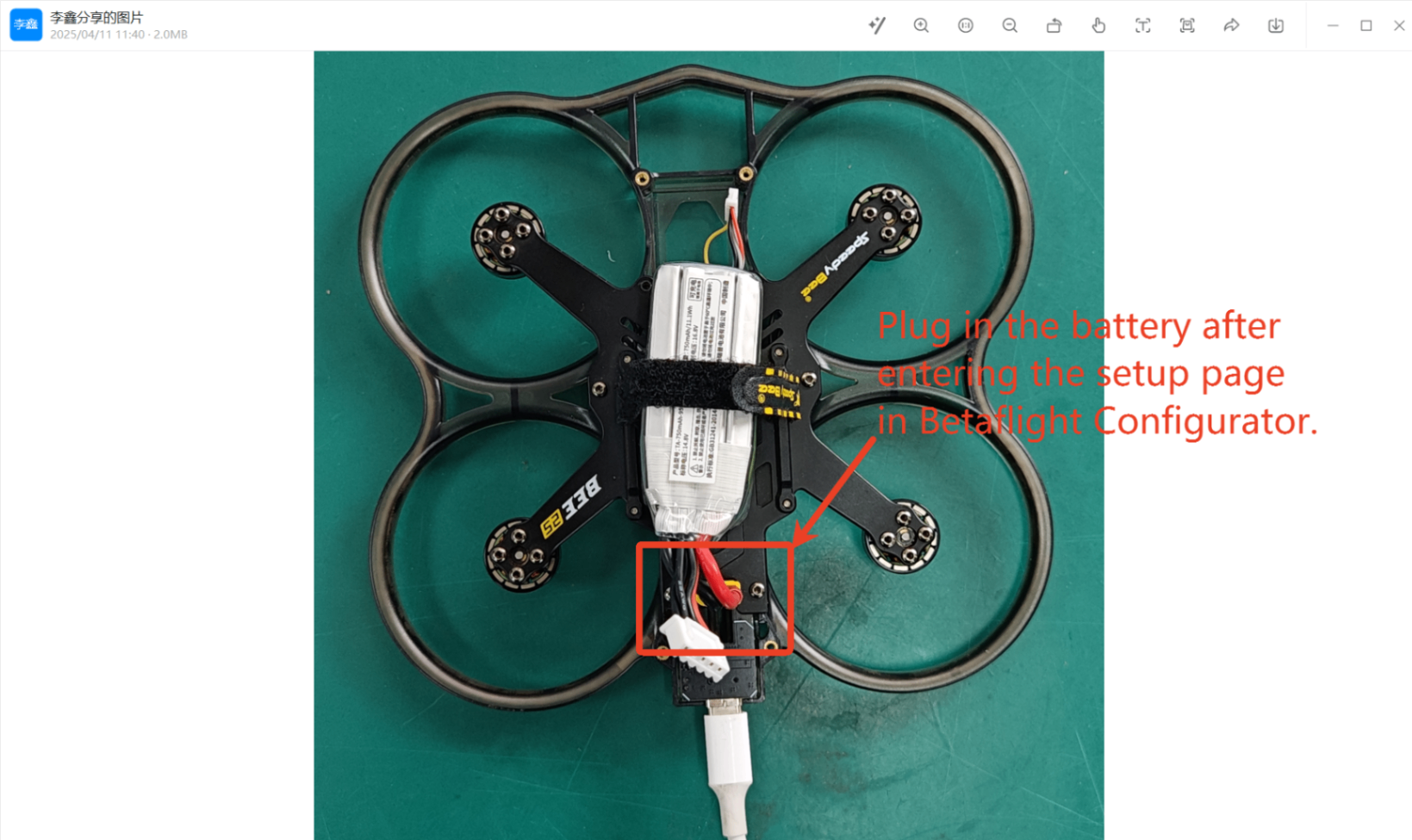
2.After entering the setup page, plug a battery into the BEE25/35 (make sure the propellers are not installed at this time).
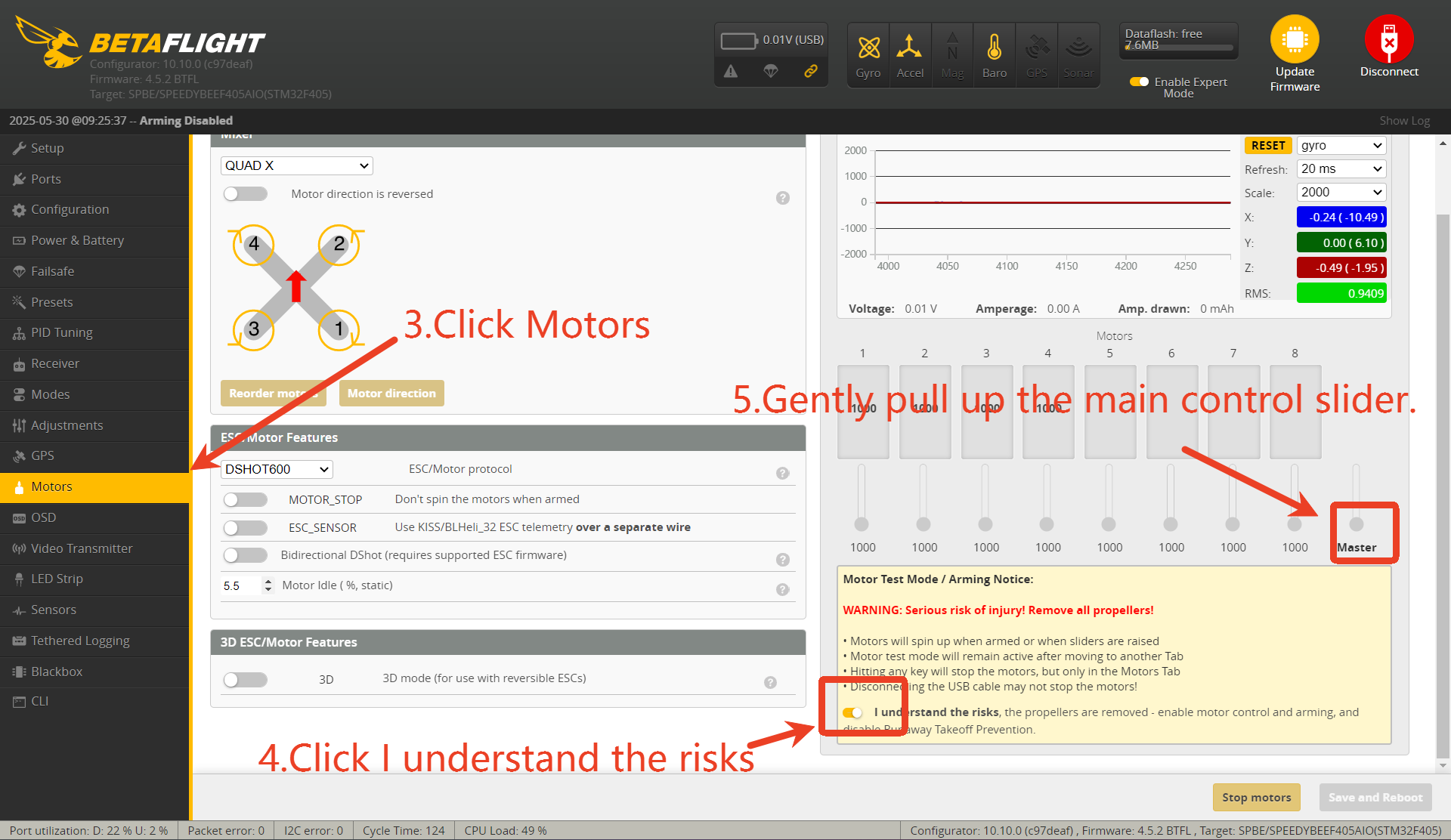
3.Click on the “Motors” tab (Important: Remove the propellers before this step!)
4.Click "I understand the risks."
5.Slightly raise the main control slider.
6.Touch each of the four motors with your hand to check and remember their rotation direction. After this, unplug the battery and disconnect the USB cable.
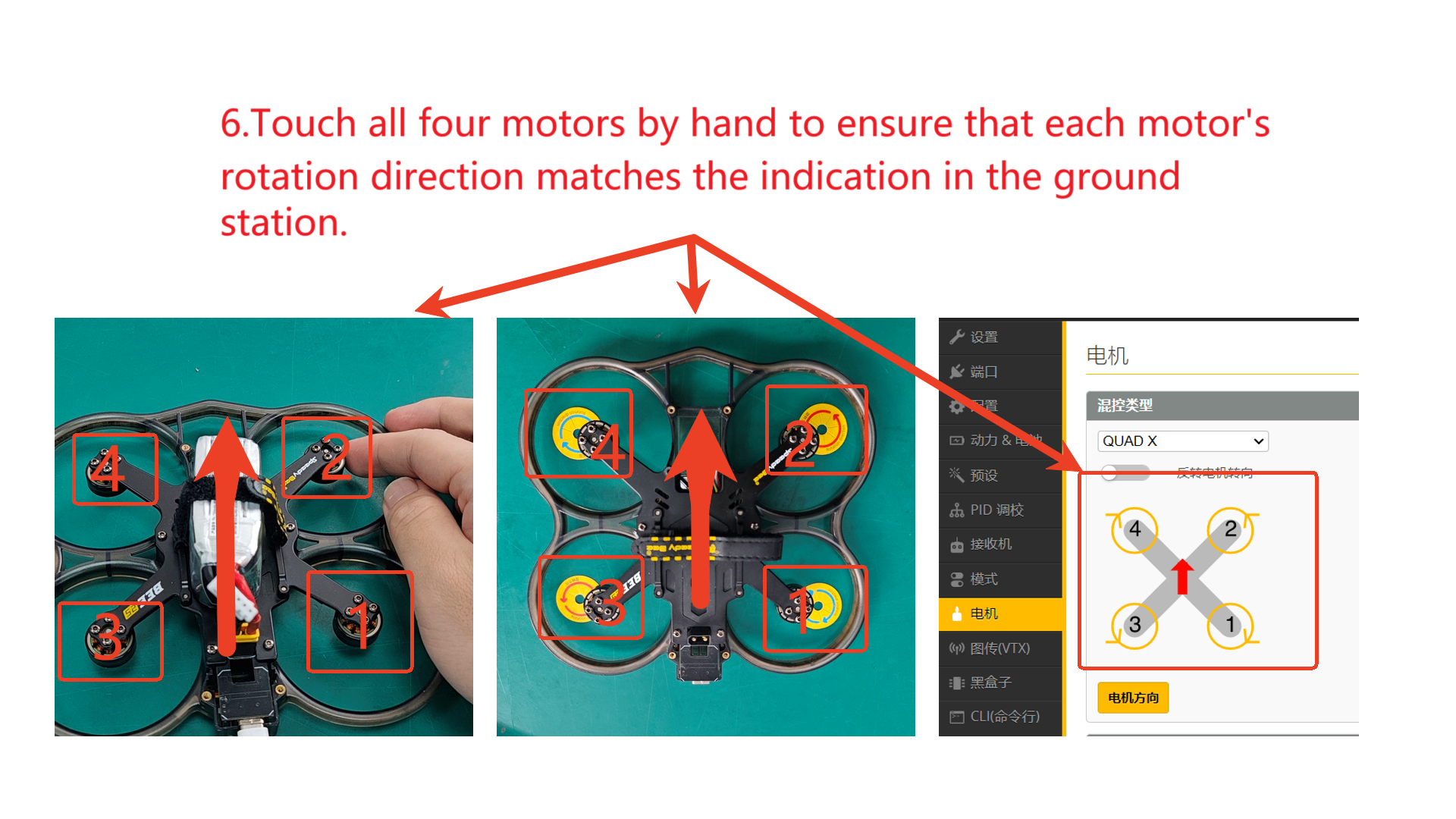
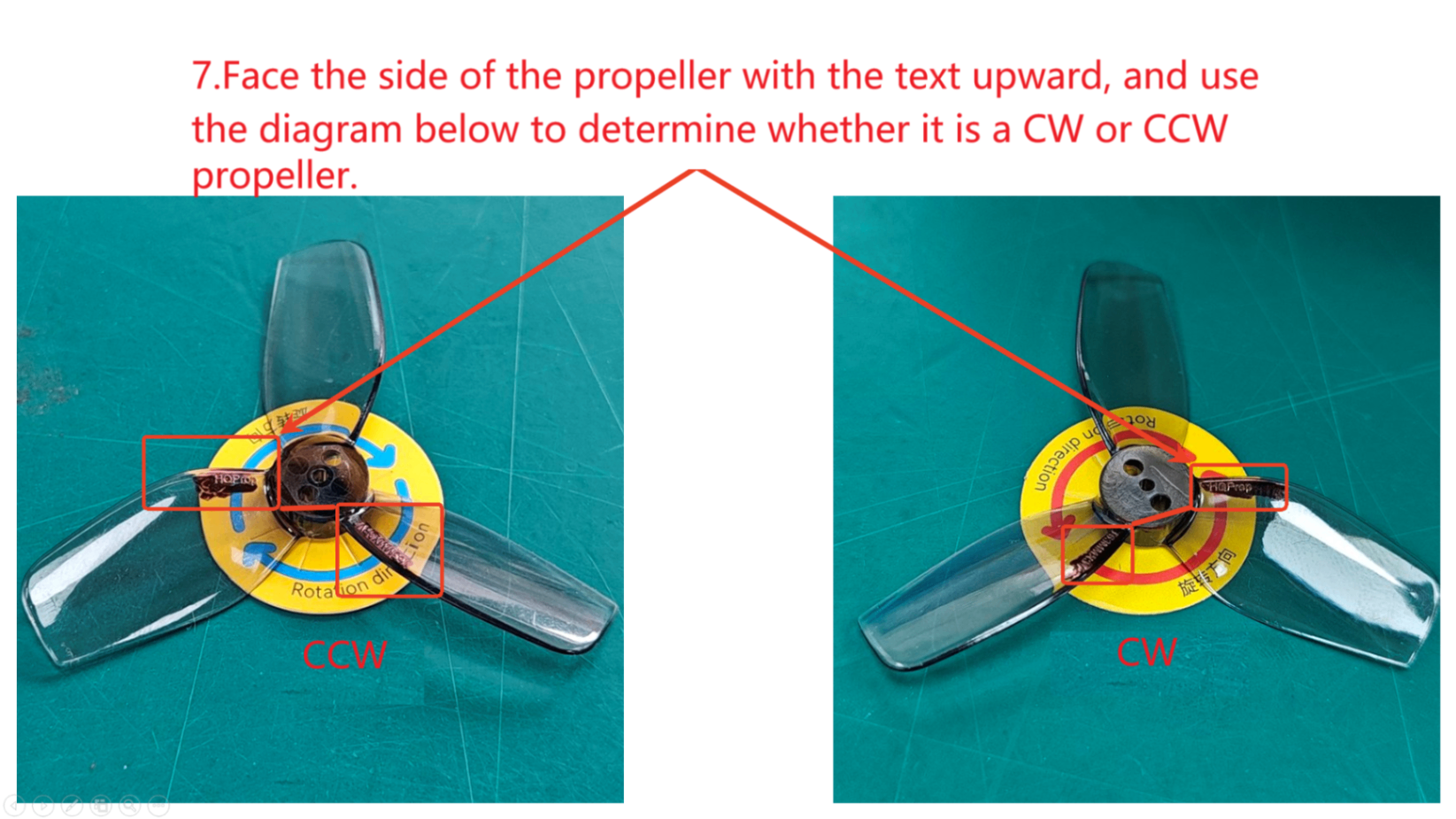
7.Identify CW and CCW propellers using the diagram. To clarify: Clockwise (CW) props generate lift when spinning clockwise — these are reverse props. Counterclockwise (CCW) props generate lift when spinning counterclockwise — these are normal props.
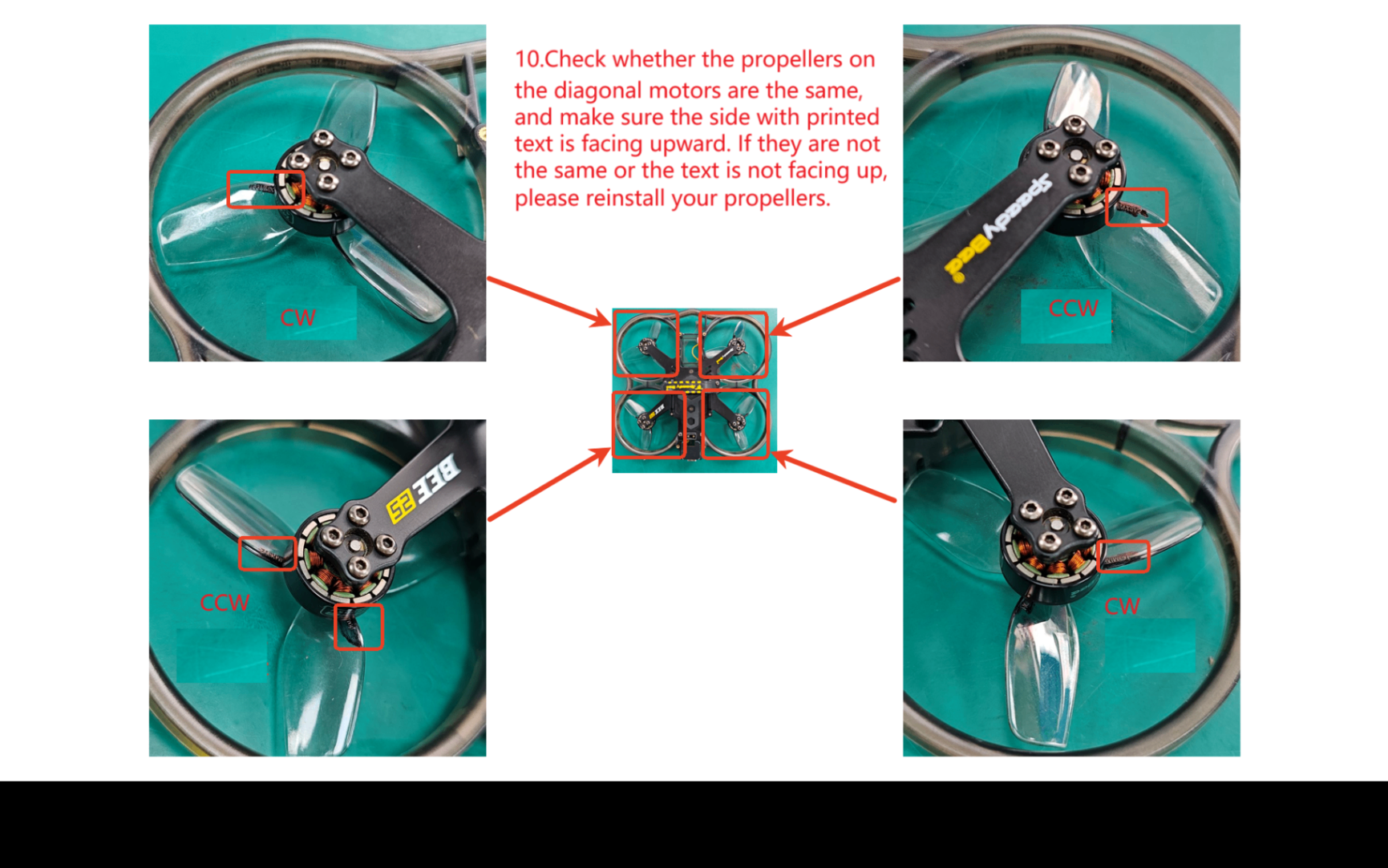
8.Mount CCW props onto the motors that spin counterclockwise (with the printed side of the propeller facing upward), align the holes, and secure them with M2*7 screws.
9.Mount CW props onto the motors that spin clockwise (with the printed side of the propeller facing upward), align the holes, and secure them with M2*7 screws.
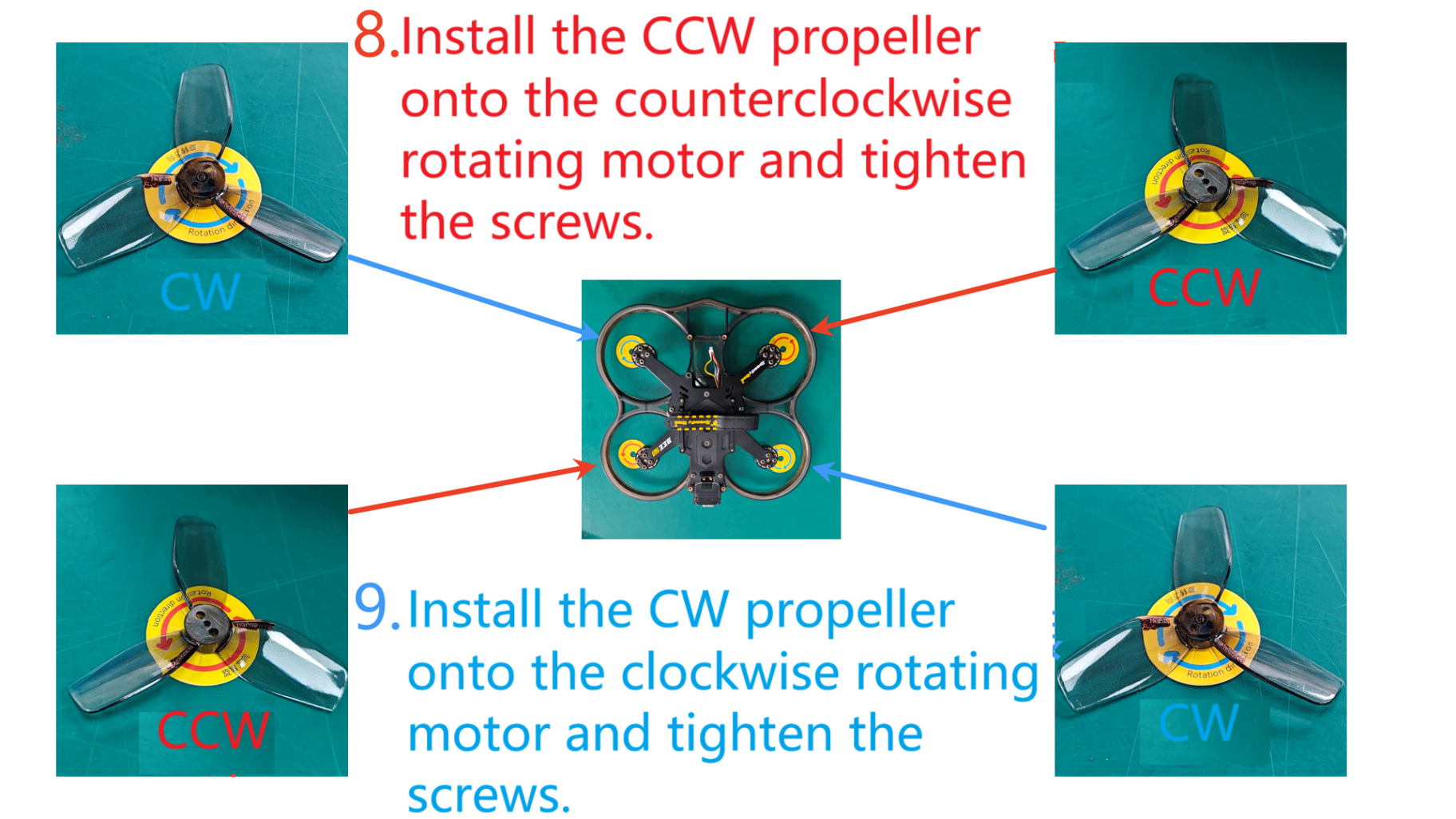
10.Double-check your propeller installation.