How to reset the flight controller to its default settings
How to reset the flight controller to its default settings
(The following method does not apply to bound kits. For bound kits, please refer to the link below:
https://docs.speedybee.cn/en/fpv/fpv-drones/ )
1.Using the SpeedyBee APP
Note: F405 V3/V4 flight controllers cannot have their firmware flashed using the App.
1.First, go to the home page of the App and tap the arrow at the bottom right corner.
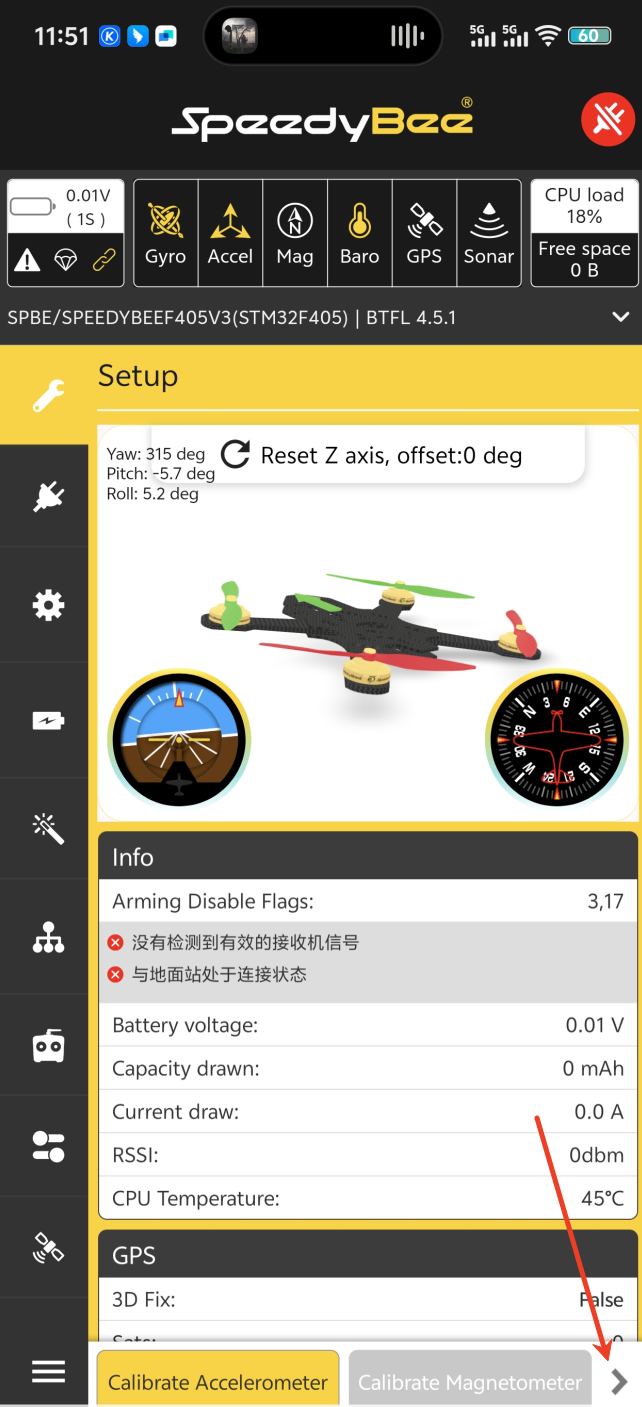
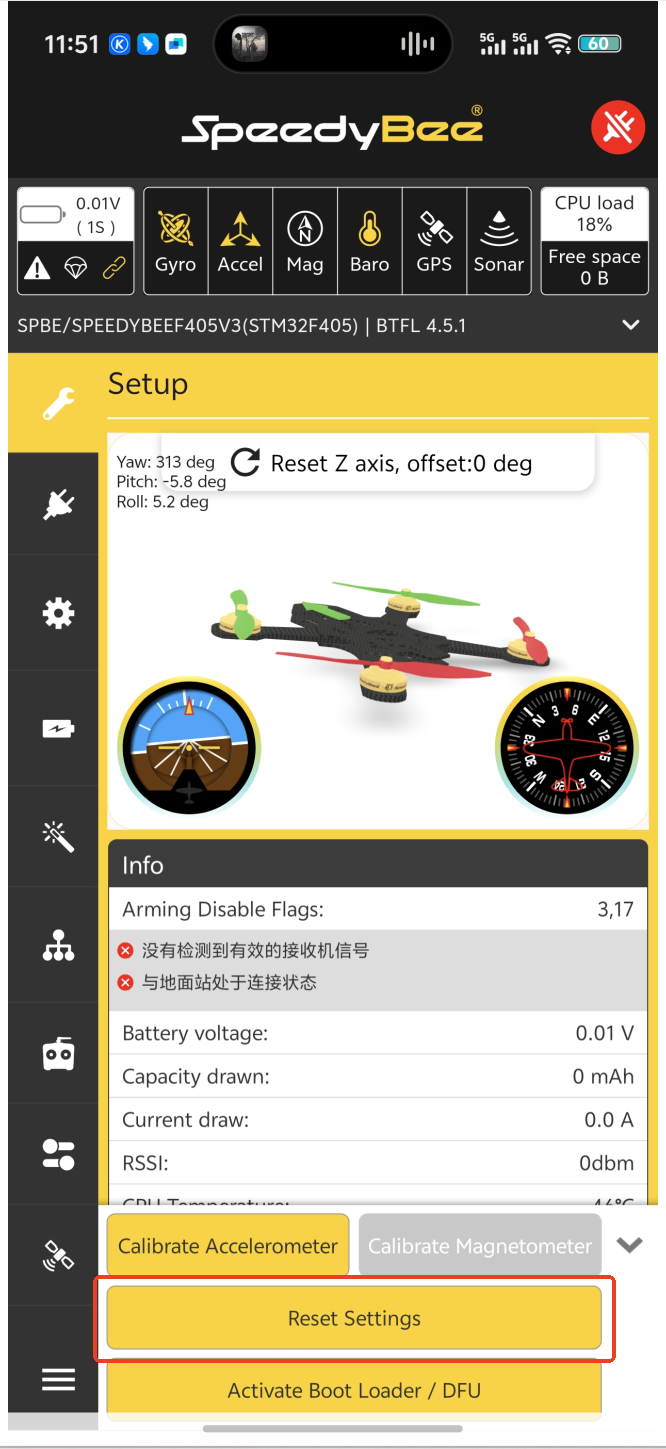
2.Then select "Reset Settings".
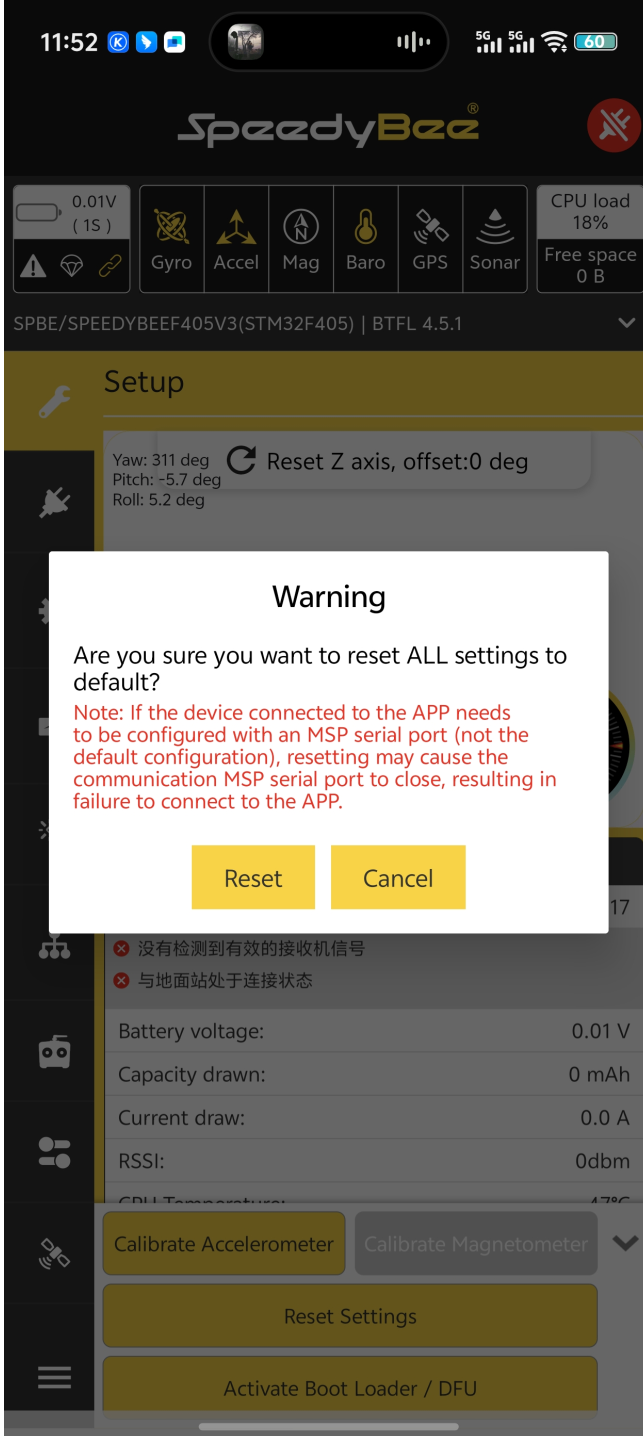
3.Click Reset to restore the default settings.
The second method is to reflash the firmware.
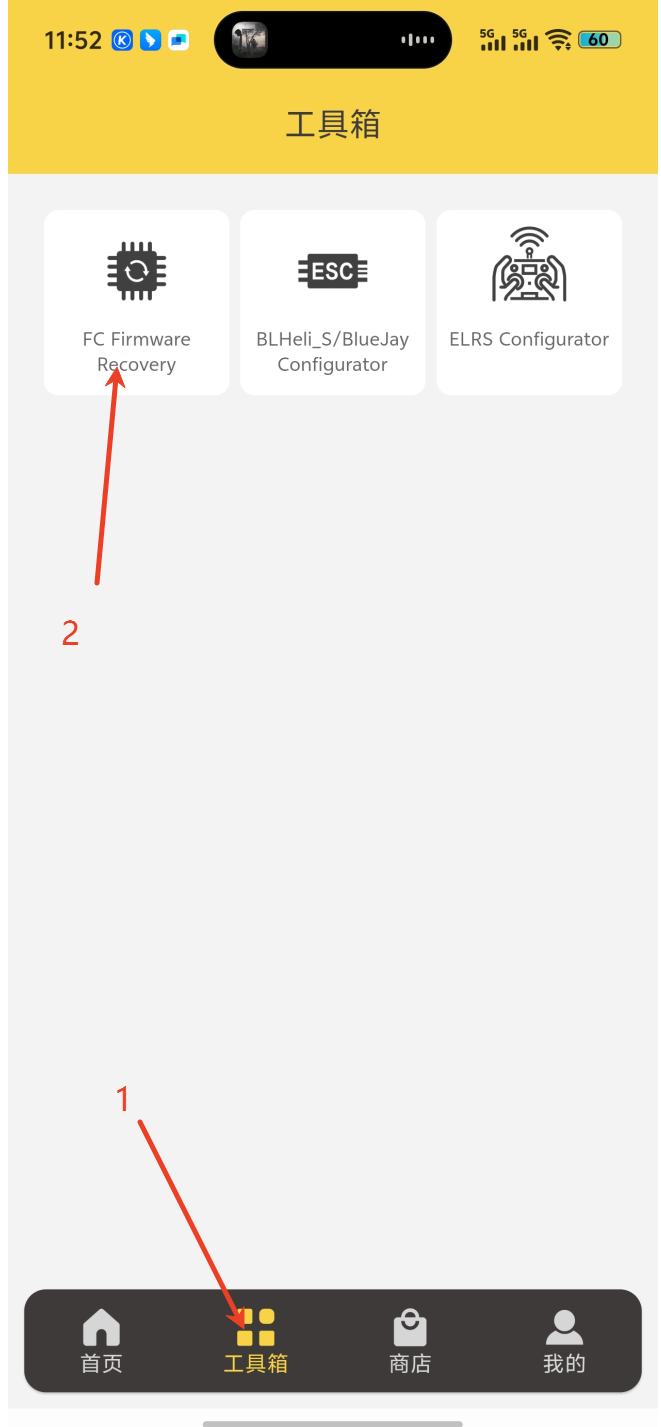
1.First, go to the Toolbox and click Flight Controller Firmware Recovery.
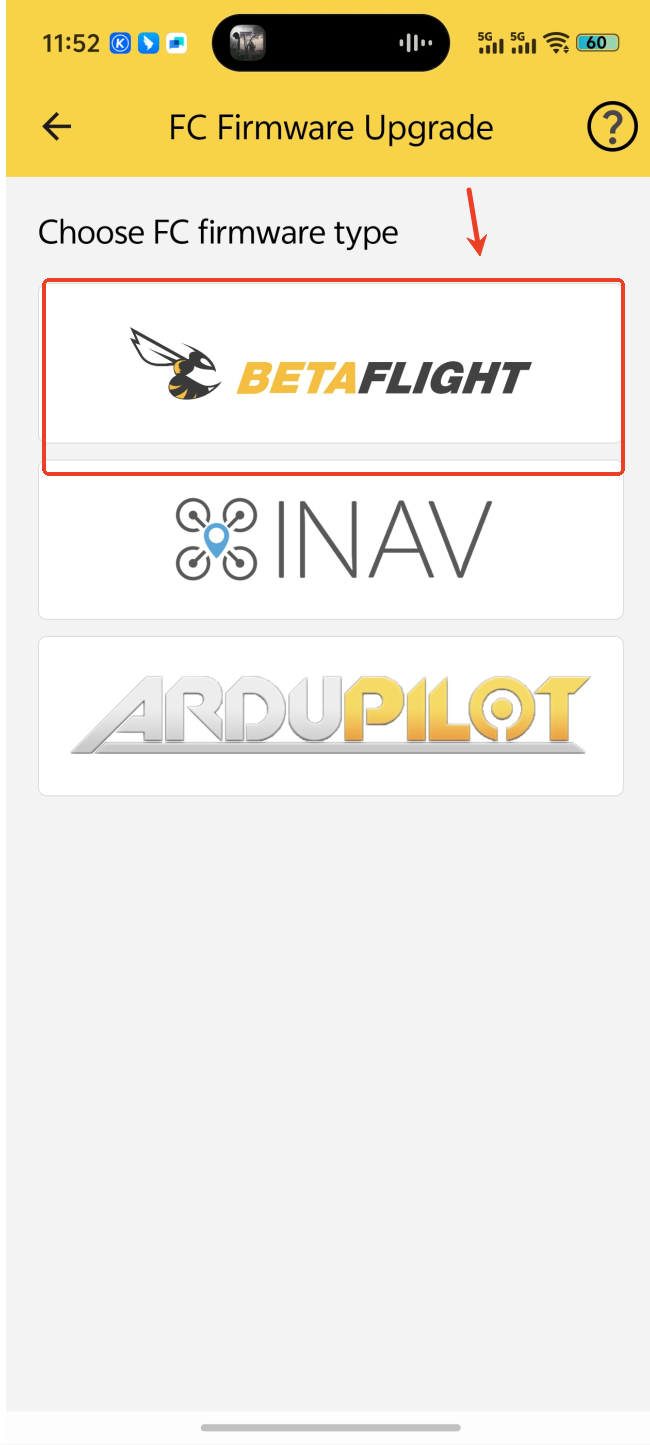
2.Select BETAFLIGHT.
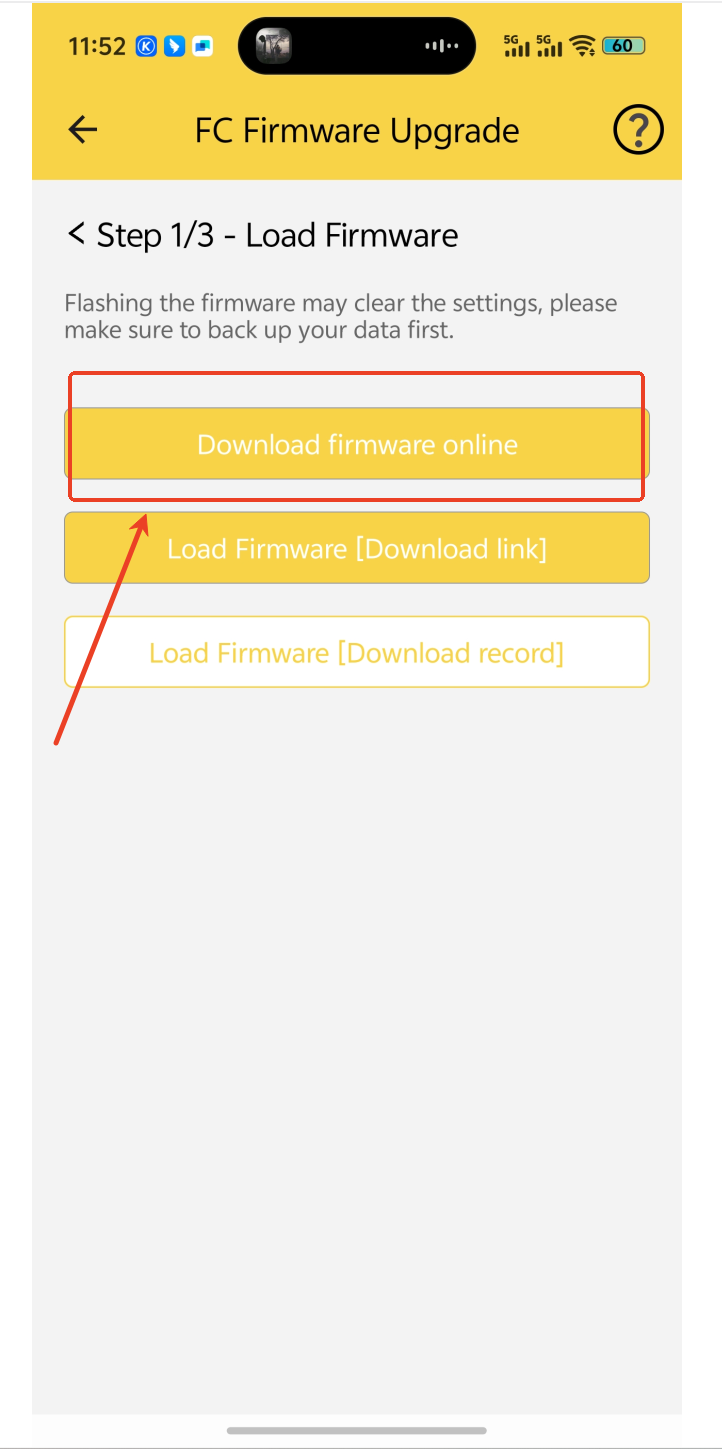
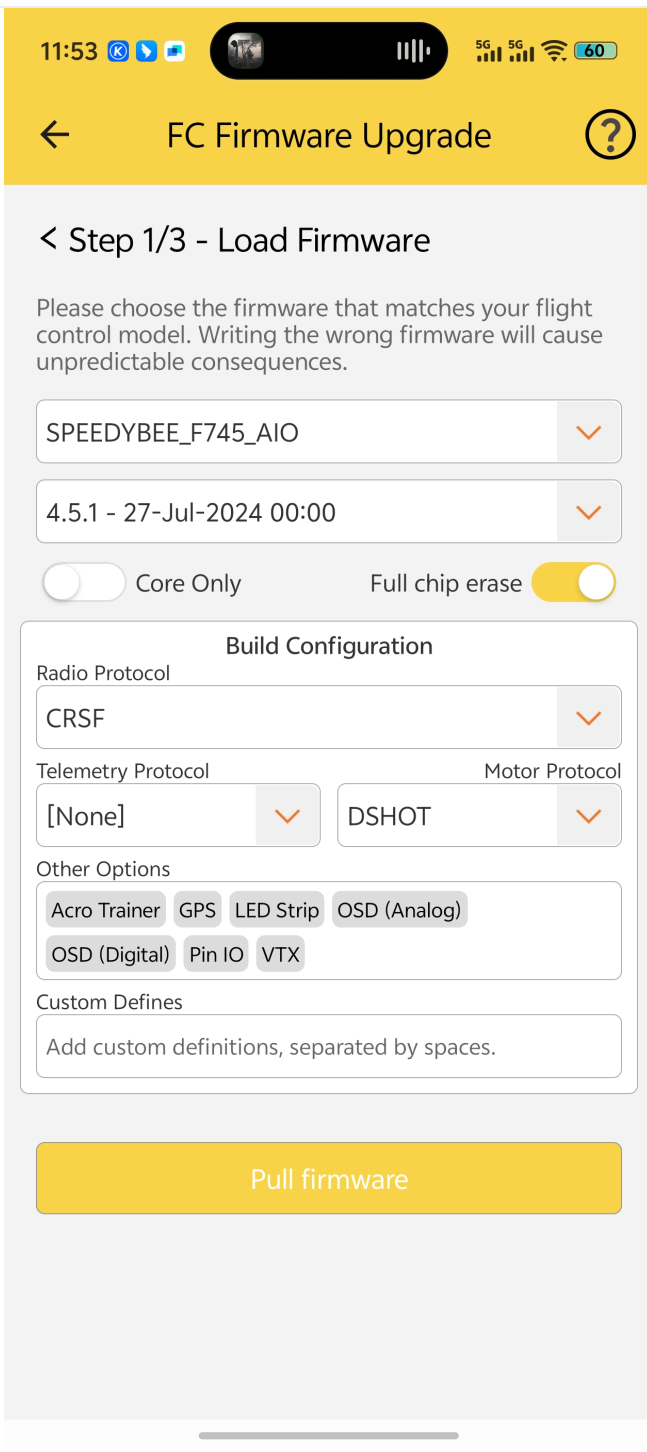
3.You only need to enable Full Chip Erase when flashing the firmware, then reconnect.
2.Using Betaflight
1.First, go to the Settings page in Betaflight and click Restore Defaults.
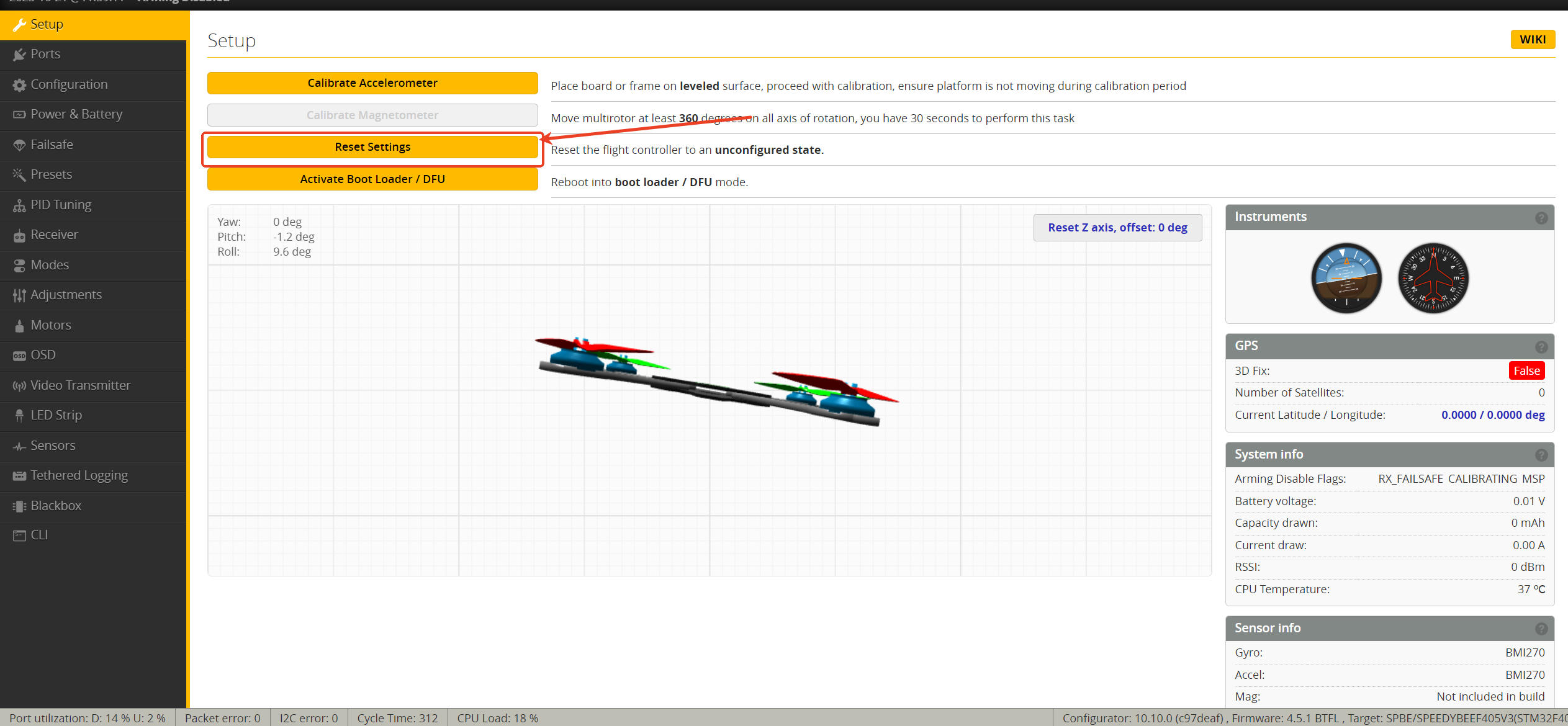
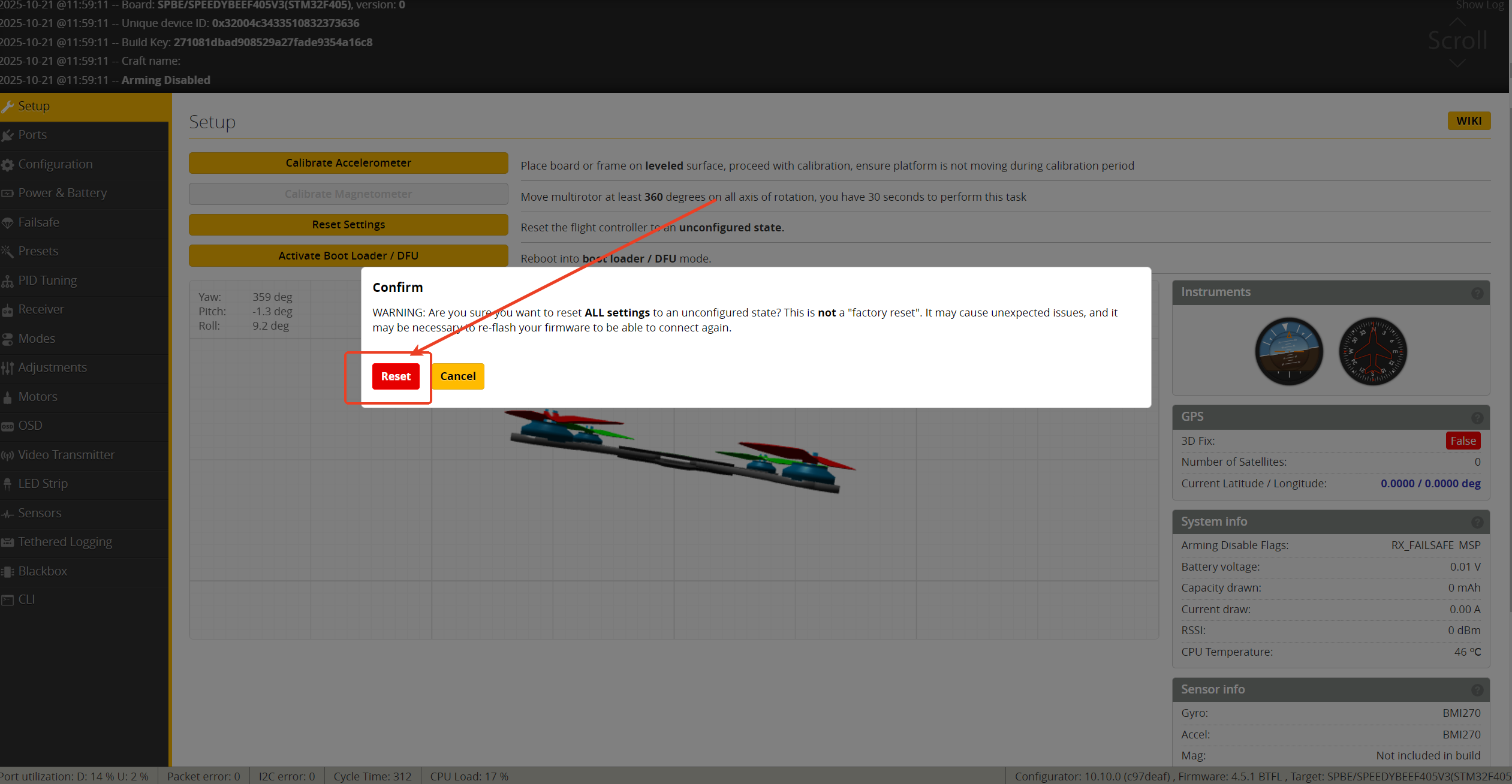
2.Then click Reset. After clicking Reset, the flight controller will be restored to its default settings.
Second method
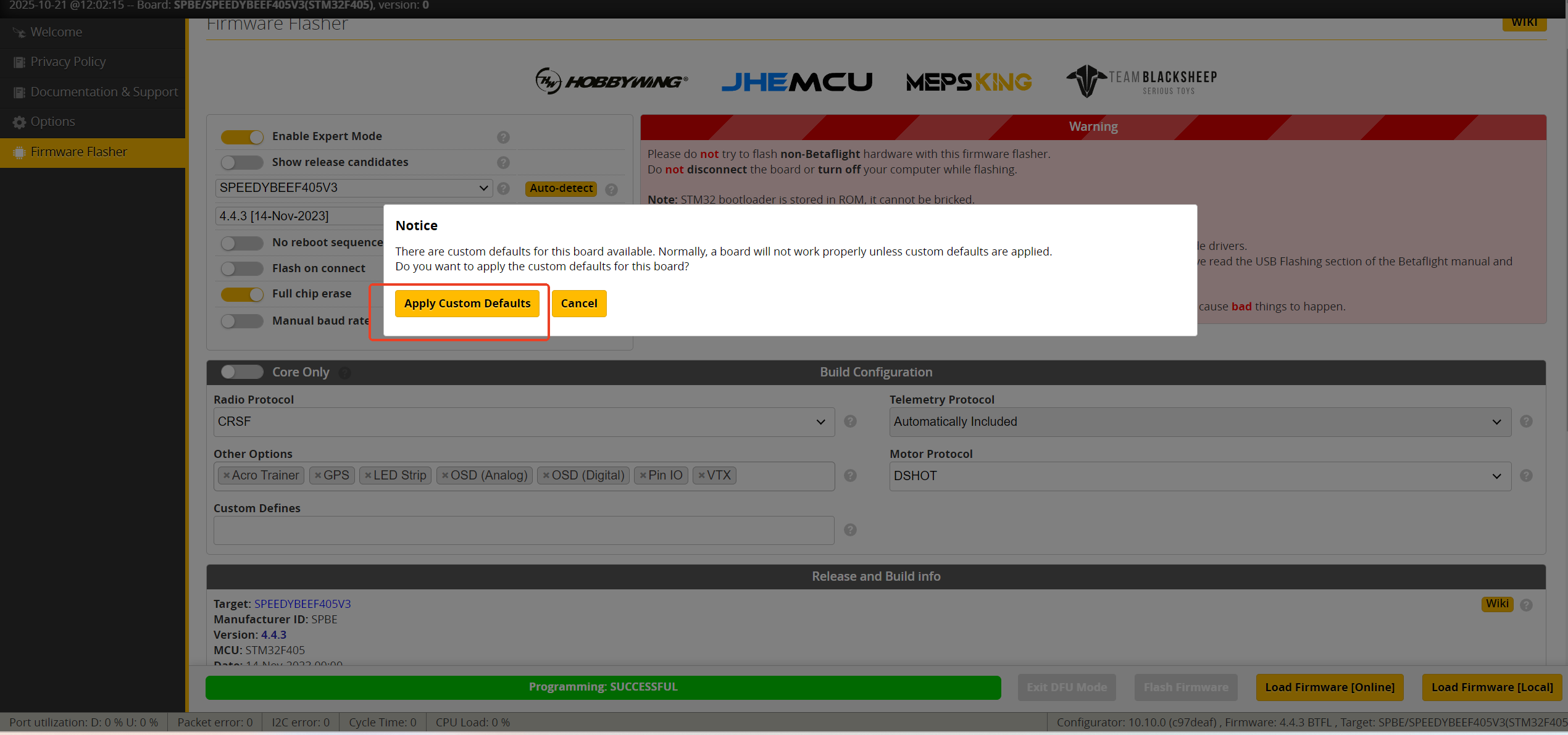
1.When reflashing the firmware, simply enable Full Chip Erase.
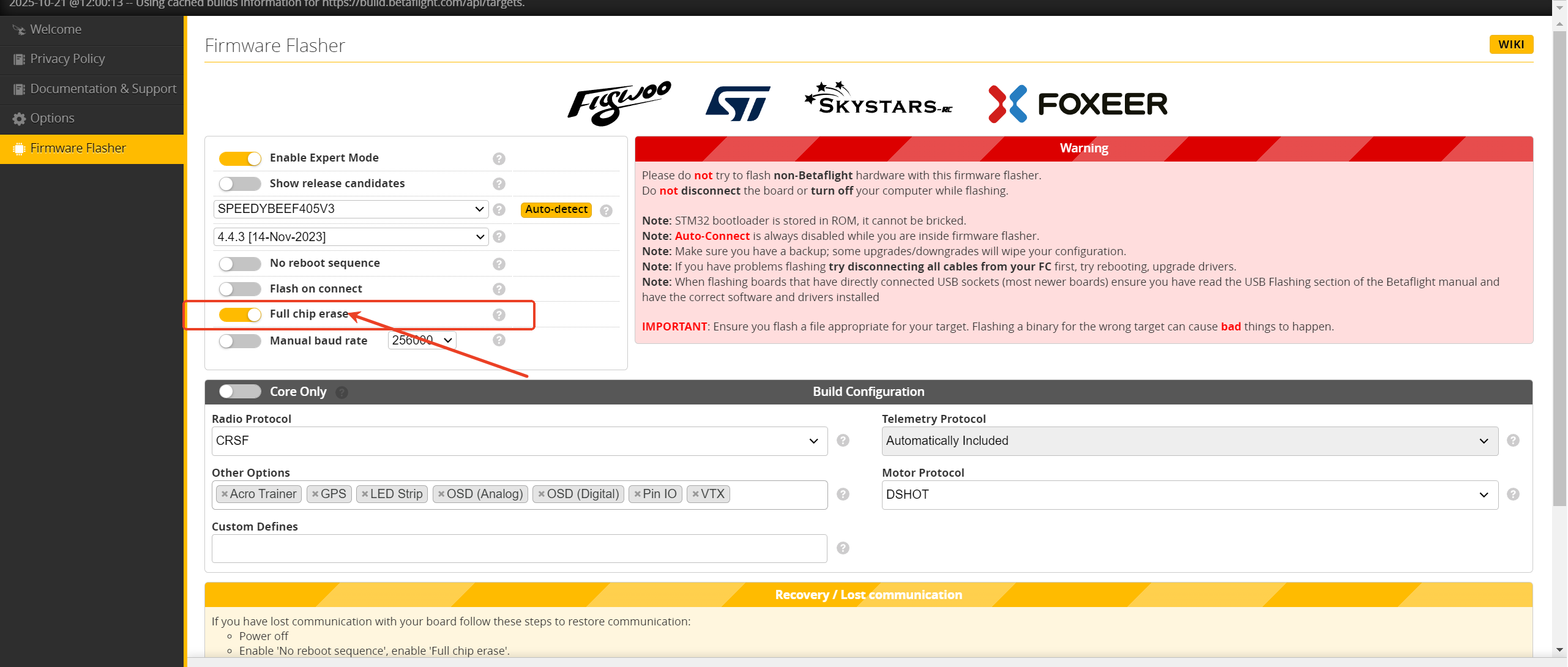
2.After flashing, select Apply Custom Default Settings.