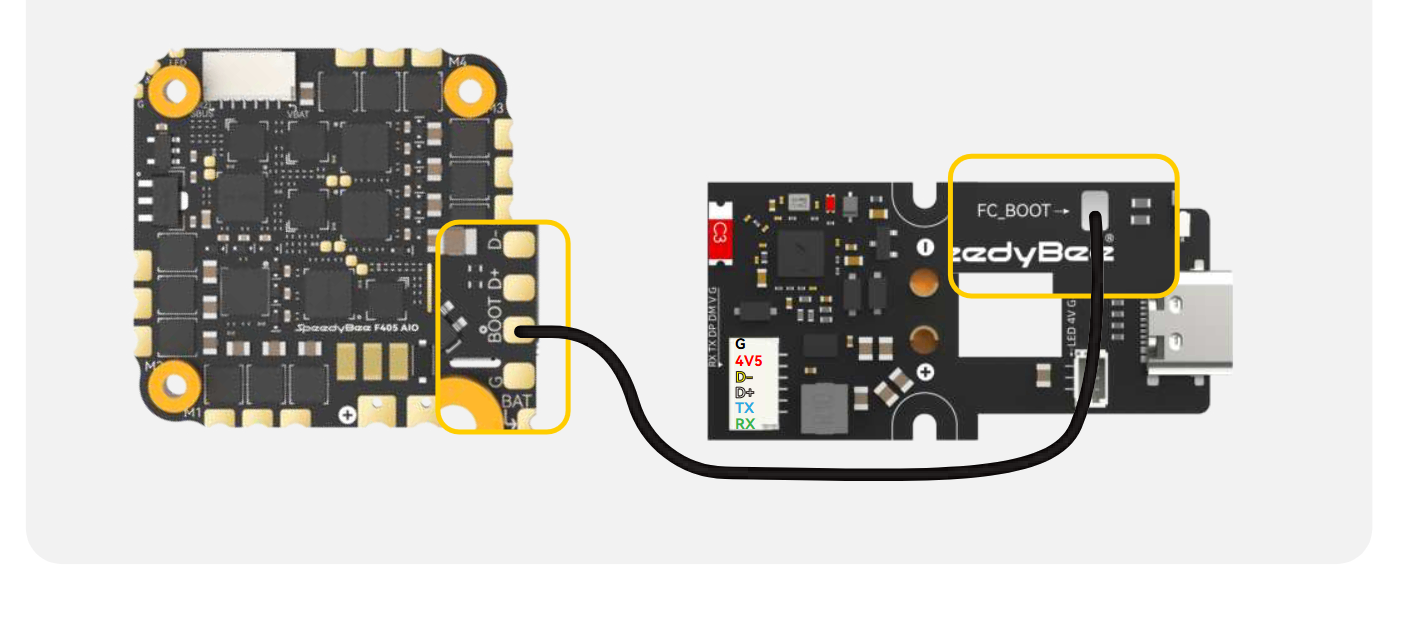
Bee25 EXT Pro Expansion Board Wiring Manual
6/28/26Less than 1 minute
Please check the pinout on the EXT PRO board and connect it to the flight controller via direct USB-C plug-in or soldering. The G, 4V5, D-, and D+ pins on the EXT PRO board should correspond to G, 4V5, D-, and D+ on the flight controller, respectively.
If you wish to use the EXT PRO board for Bluetooth parameter adjustment on the flight controller, connect TX and RX to unused ports on the flight controller, and enable MSP on the corresponding ports. Connect the TX of the EXT PRO board to the RX of the flight controller, and the RX of the EXT PRO board to the TX of the flight controller (i.e., blue wire to flight controller RX, green wire to TX). If Bluetooth adjustment is not needed, these two wires do not have to be connected.