How to understand the receiver’s LQ and RSSI dBm
The following information is based on references from the official ExpressLRS website. The actual situation still depends on your flight environment.
What is RSSI dBm?
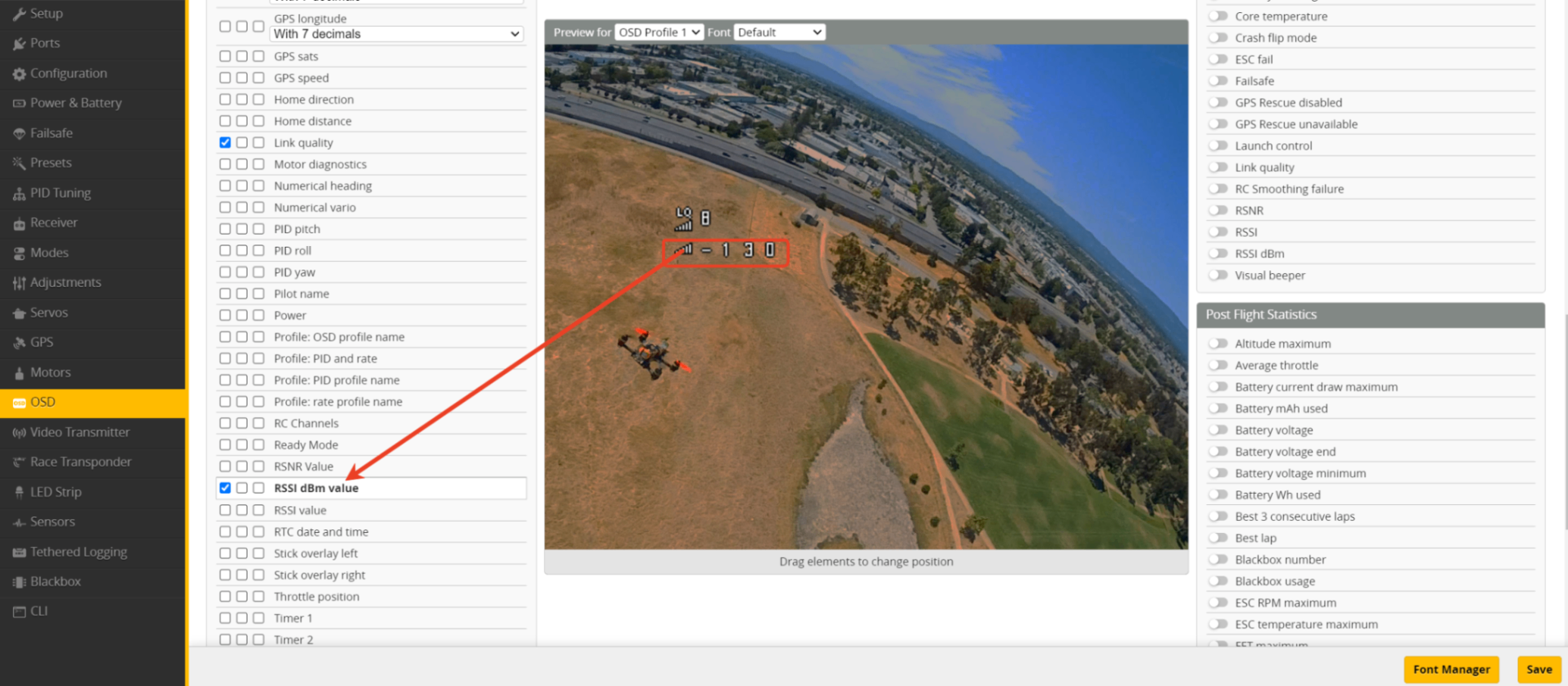
- RSSI: Received Signal Strength Indication
- dBm: an absolute power unit. The more negative the value is, the weaker the signal is. 0 dBm ≈ extremely strong
- -130 dBm ≈ almost nothing
Simple understanding: RSSI = “how loud the voice is”
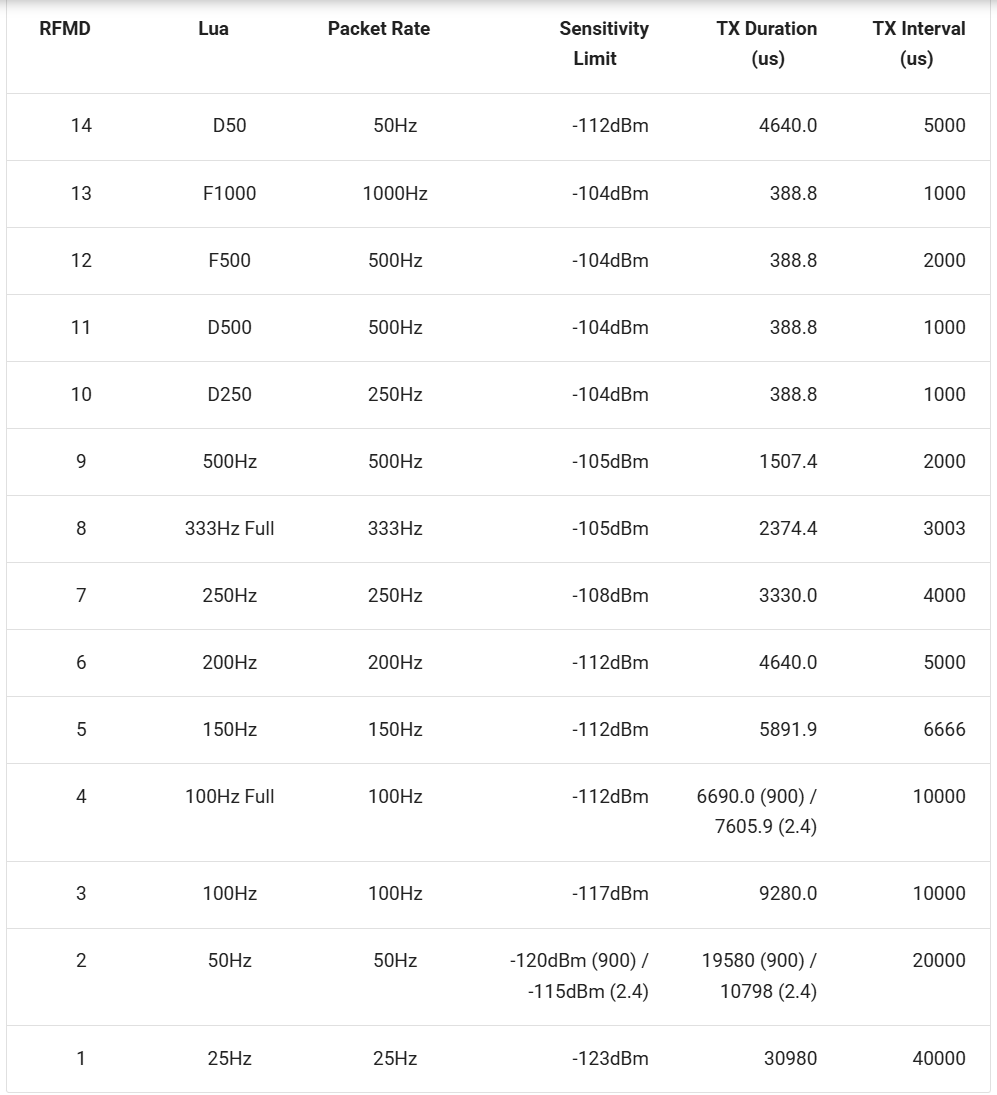
RSSI must be higher (less negative) than the receiver sensitivity limit in order to decode the signal.
For example:
In 500Hz / 2.4GHz mode, the theoretical sensitivity ≈ -105 dBm
If your signal is lower than this, you can’t decode it.
What is LQ?
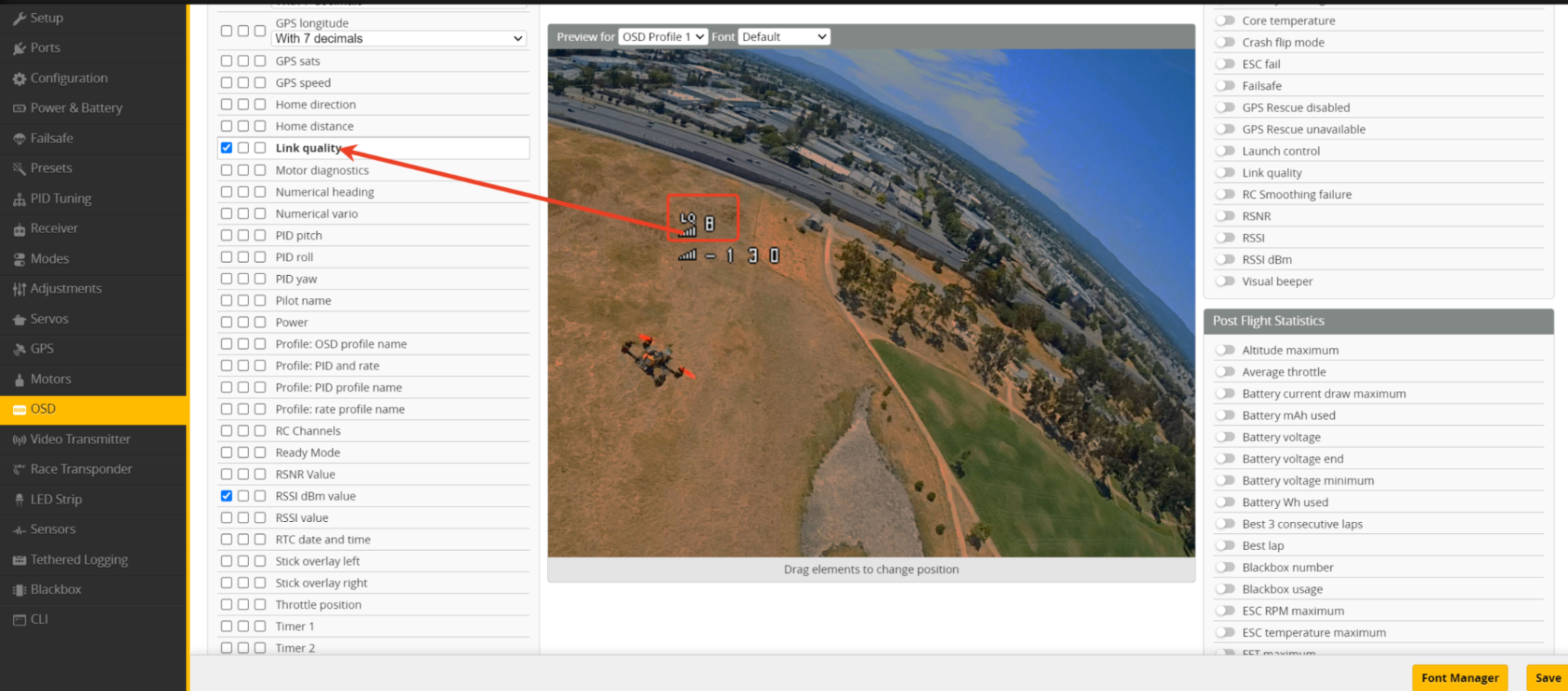
- LQ: Link Quality Unit: %, shows the percentage of received data packets 100% = every packet received 0% = no packets received
Simple understanding: LQ = “did you hear every word clearly”
Why is LQ more important than RSSI?
Imagine you are talking in a room—your volume (RSSI) could be the same, but if someone suddenly honks a horn in between and you miss one sentence, that’s a drop in LQ.
Whether you can still control the quad depends on whether every packet is received (LQ)
not just how loud the signal is (RSSI).
Practical flight recommendation
| Item | Suggested reference value |
|---|---|
| LQ | Below 60~70% = already at risk of failsafe |
| RSSI dBm | When approaching sensitivity limit +10~15 dBm = warn |
Example: sensitivity = -108 dBm at 250Hz
→ set warning around -98 to -95 dBm
Packet rate effects
| Packet rate | Sensitivity | Latency |
|---|---|---|
| 25Hz | Best | Highest |
| 500Hz | Weakest | Lowest |
Low rate → longer range
High rate → low latency race mode
Final summary:
LQ tells you “can you still fly safely” RSSI tells you “how far you can keep flying”